Server backups you can prove will restore.
Protect Windows and Linux workloads with customer-controlled backup storage, restore verification, immutable retention, and recovery workflows built for real incidents.
Free for up to 5 VMs. No card required.
Restore Size
4.8 GB
Original Size
0.4% changed
Compression Saved
65.7%
Data Written
4.8 GB
Verify a restore point before the outage, then recover only the scope the incident requires.
Verified Recovery
Make restore confidence visible
A successful backup job is not the same as a usable recovery point. XReplicator helps teams verify restore points before the outage makes that question urgent.
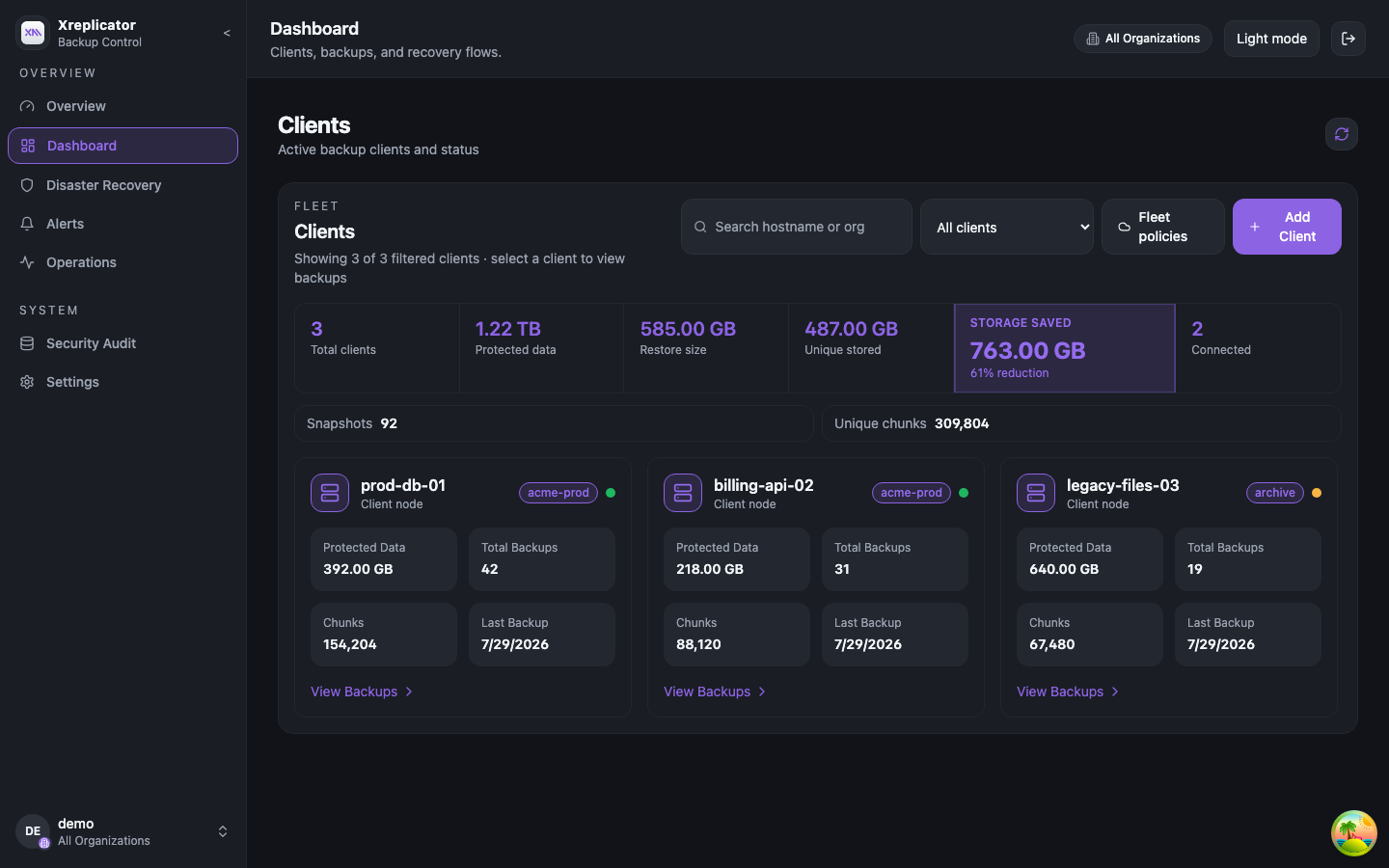
Create restore evidence
Check selected restore points before an outage so operators know which backups are usable, not just which jobs completed.
Choose the right restore scope
Recover the smallest useful scope first: a file, partition, full disk, or disaster-recovery workload.
Keep the audit trail
Keep job history, logs, and verification status available for operators, customer reviews, and incident follow-up.
Azure DR Proof
Azure DR drill results with clear scope.
Review measured Azure-to-Azure disaster recovery results for a small VM, including failover timing, recovery strategy, and the infrastructure factors that affect real-world RTO.
Review Azure DR proofAttach as-is failover
Under 40 sec
Measured on a VM with a 30 GB OS disk and 4 GB data disk.
Snapshot-based failover
Around 70 sec
Measured on the same VM while creating isolated disk copies.
Timing varies with Azure control-plane response time, VM size, OS boot time, networking, application startup, and the selected failover strategy.
Measured Benchmark
XReplicator vs. the enterprise incumbent
Same Azure Linux VM, same workload, run against a widely used enterprise backup platform. Lower is faster.
Fresh full backup
The one case the incumbent wins — a one-time cost per VM.
Clean incremental
XReplicator finishes in under half the time.
Small change in a 4 GiB file
Client-side deduplication sent 17.64 MB instead of 4.35 GiB.
Control + Efficiency
Your infrastructure. Your storage. Your recovery path.
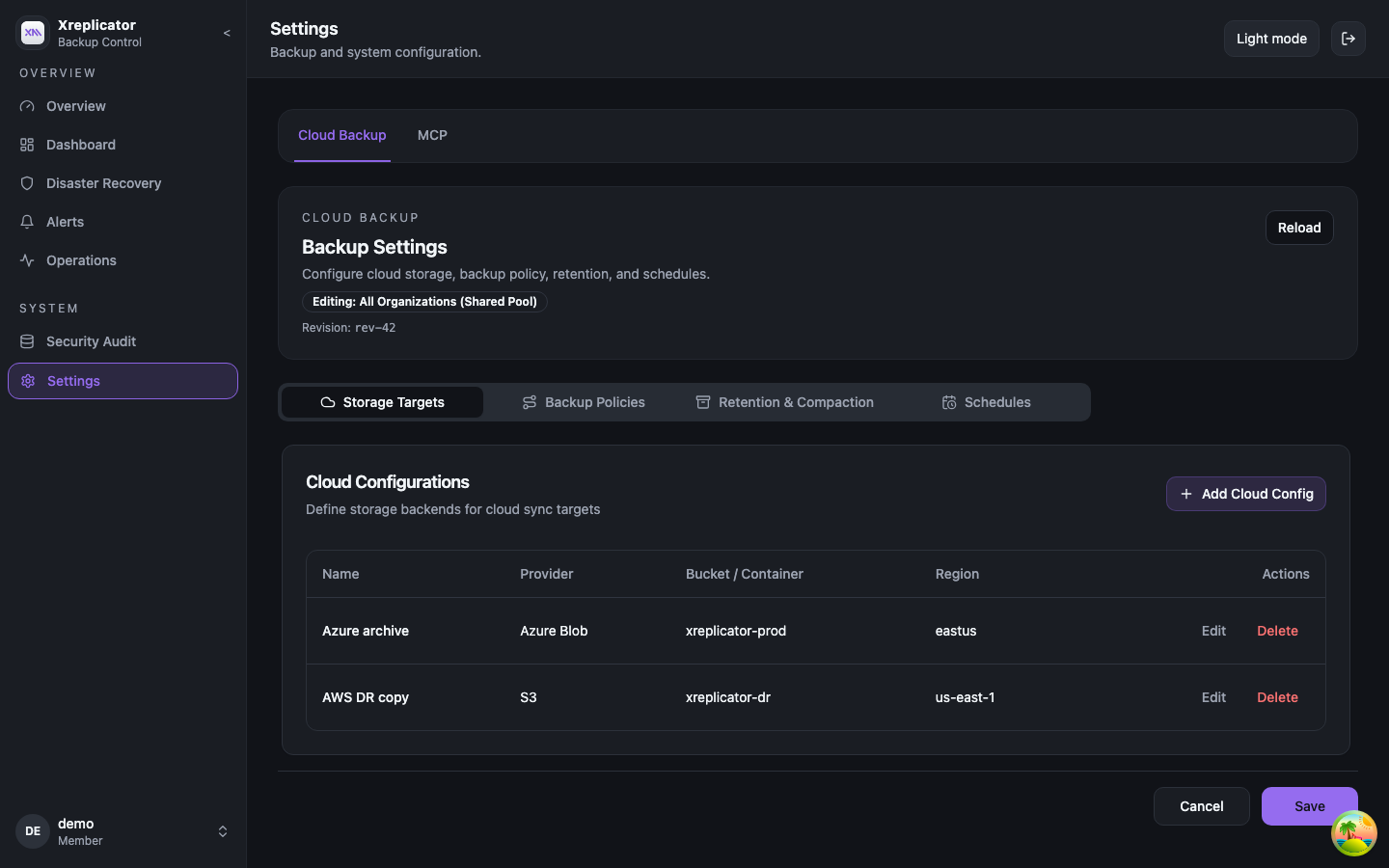
Run backup and disaster recovery on infrastructure you control, with storage choices, retention policies, and restore workflows that fit your operating model.
Your backup server
Run XReplicator in your environment so backup operations stay close to the systems your team already owns.
Your object storage
Use local storage or compatible object storage such as S3, Azure Blob, and GCS based on your retention model.
Your retention policy
Pair practical retention windows with object-lock capable storage where protected backup copies are required.
Efficient incrementals
Routine backup size follows changed data, helping protection stay practical for live server workloads.
Recovery by intent
Choose the recovery path that matches the incident instead of turning every restore into a full rebuild.
Ransomware response
Use protected copies, unusual-change signals, and last-known-clean guidance to support faster recovery decisions.
Security Assurance
Security controls for recovery confidence
XReplicator protects backup communication, supports protected retention, and gives operators evidence they can use during restore reviews and ransomware recovery planning.
Secure transport
TLS and optional mTLS protect communication between agents, backup server, and dashboard.
Immutable backup copies
Retention windows and object-lock capable storage help protect recovery copies from deletion or tampering.
Verifiable restores
Metadata, sample, and full verification modes help confirm restore points before recovery is needed.
Ransomware signals
Unusual change-rate alerts, audit logs, and last-known-clean suggestions help teams make recovery decisions.
Adoption Path
Start with Community. Grow into MSP operations.
Use the free Community Edition to prove the recovery workflow in one environment. Move to MSP or Enterprise when you need tenant isolation and larger protected fleets.
Community Edition
Free single-tenant protection for small environments and product evaluation.
- Up to 5 VMs
- No card required
- Same recovery-first product story
MSP and Enterprise
Commercial path for teams managing multiple tenants, customers, or larger protected fleets.
- Multi-tenant operations
- Tenant isolation
- Onboarding conversation
Where teams use verified recovery
Common operating paths for backup teams, MSPs, and disaster recovery planning.
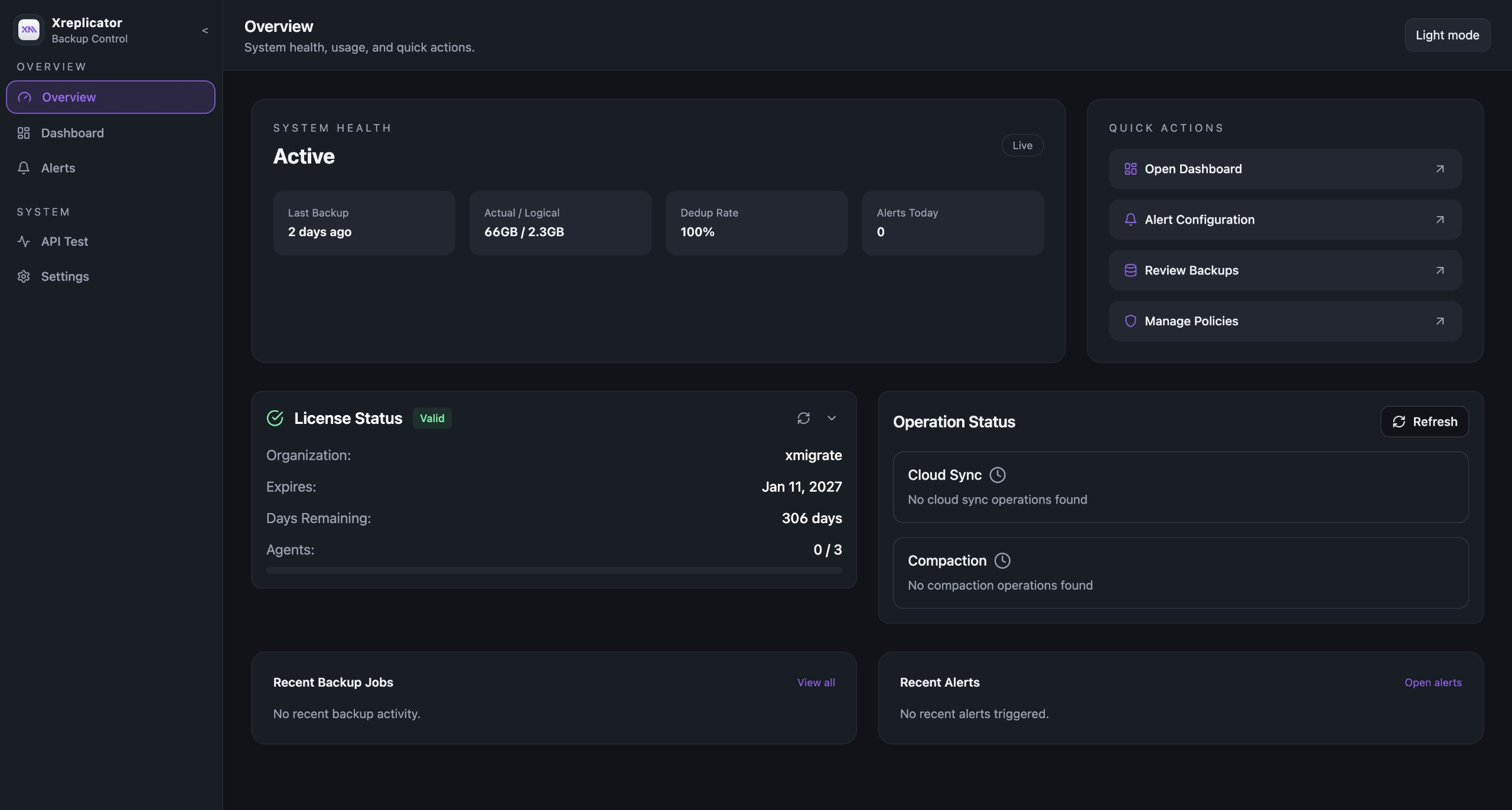
Scheduled Backups
Keep routine server protection on a schedule your team can review.
Run full backups on the cadence you choose and use incrementals between them so protection follows real change volume.
AI Integrations
Operate XReplicator from your MCP client
Connect your AI workspace to XReplicator over MCP and run real operational workflows, not just read-only lookups. 79 tools across backup, alerting, cloud sync, and disaster recovery.
Health and Visibility
Give AI agents live infrastructure context with health, server stats, clients, devices, and snapshot discovery.
Backup and Snapshot Lifecycle
Trigger backups, control running jobs, mount and explore snapshots, and run confirmed cleanup workflows.
Alerting, Cloud Sync and Disaster Recovery
Manage alert policies and notifications, cloud sync configuration, and full DR failover/failback workflows.
Featured MCP Tools
replicator.health_checkreplicator.trigger_backupreplicator.delete_snapshotreplicator.list_alert_policiesreplicator.trigger_dr_failoverreplicator.get_cloud_configSecure By Default
Bearer key authentication, configurable RPC timeouts, and explicit confirmation for destructive actions.
FAQ
Backup, restore, and migration questions
Quick answers for teams evaluating a server backup, restore, or disaster recovery tool.
What server workloads does XReplicator support?
Windows (NTFS) and Linux servers (ext4/XFS). Agents run on client machines and send efficient incremental backups to the backup server.
Can I restore an entire server or only files?
You can restore files, partitions, or full disks. Point-in-time recovery works for disaster recovery and migration use cases.
How is this different from filesystem snapshots?
XReplicator stores backup data centrally, so you can restore to new hosts and keep long-term retention without tying recovery to a single server.
Does it support cloud backup?
Yes. The backup server can sync snapshots to S3-compatible storage, Azure Blob, and Google Cloud Storage for off-site retention. Immutable object storage can be used for ransomware-resilient copies.
Do I need Kubernetes to run XReplicator?
No. XReplicator supports VM-based single-server and multi-server deployments, plus Kubernetes deployments with Helm when you want platform-managed ingress, secrets, storage, upgrades, PostgreSQL, and object storage.
How does XReplicator secure backup data?
XReplicator supports TLS/mTLS for agent, server, and dashboard communication, immutable retention windows, object-lock storage, checksum verification, and audit logging.
Can XReplicator help after a ransomware event?
Yes. It can detect unusual change rates, support last-known-clean recovery decisions, protect off-site copies with object-lock storage, and verify backups with fast or full restore checks.
Are restore points immutable?
XReplicator supports an immutable retention window on the backup server and object-lock style immutability for S3-compatible storage, Azure Blob, and Google Cloud Storage targets.
What is the difference between metadata, sample, and full verification?
Fast verification checks restore-point records, sample verification validates selected backup data, and full verification reads and checksum-validates the complete restore point.
Can XReplicator set up Azure-to-Azure disaster recovery?
Yes. XReplicator supports Azure-to-Azure DR setup with orchestrated failover and failback from the web UI. A measured Azure DR drill is documented with scope and caveats.
Review the Azure DR proof pageIs MSP multi-tenancy included in the free Community Edition?
No. Community Edition is the single-tenant free version for up to 5 VMs for life. MSP multi-tenancy, user management, and tenant isolation are gated Enterprise features.
Ready to prove your recovery path?
Review the environment, restore goals, and evaluation path with the XReplicator team.